
Digital creators today manage far more than just content creation. They handle publishing, marketing, audience engagement, analytics, and sometimes even customer support. As the number of tasks increases, manual processes quickly become inefficient and time-consuming.
This is where automation becomes a game changer.
Automation platforms allow creators to build systems that work in the background while they focus on producing valuable content. One of the most powerful tools for building such systems is n8n, a flexible workflow automation platform that connects different services and APIs.
Unlike many automation tools that focus only on simple tasks, n8n allows developers and creators to build advanced workflows using a visual interface combined with powerful logic and integrations.
In this guide, we’ll explore five powerful n8n workflows that every digital creator should consider building. These workflows can save hours of repetitive work each week and help scale content production, audience engagement, and business operations.
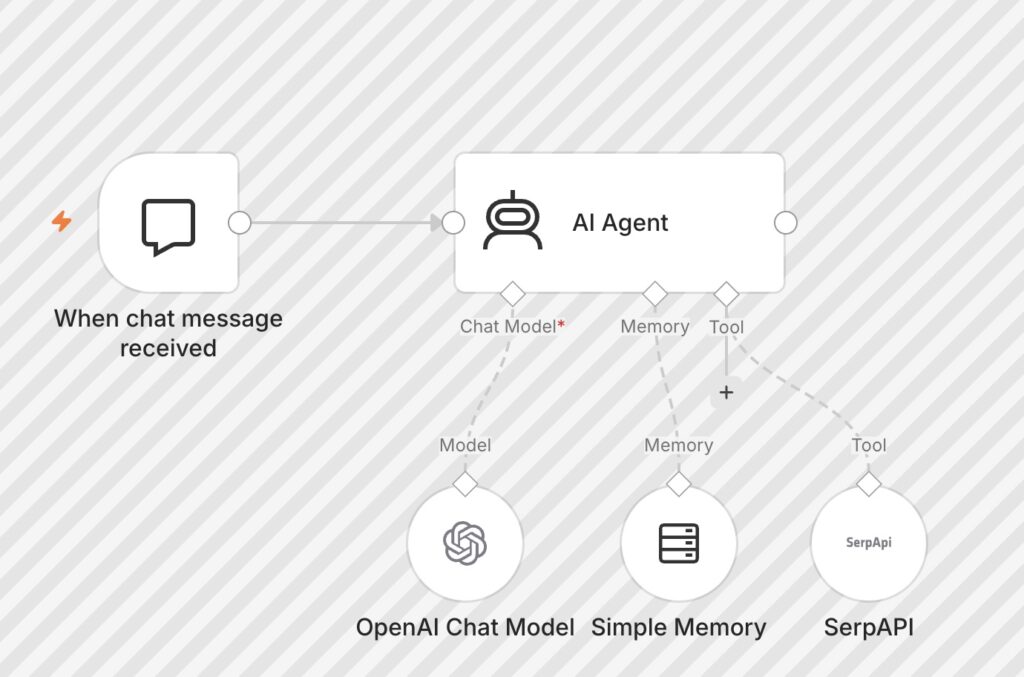
Why Digital Creators Need Automation
Many creators start their journey managing everything manually. They publish articles, share posts on social media, reply to comments, send newsletters, and track performance by logging into multiple platforms every day.
At small scale, manual work is manageable.
But as your audience grows, manual processes quickly become overwhelming.
Automation solves several key problems:
• It reduces repetitive tasks
• It ensures consistency in publishing
• It minimizes human error
• It saves time that can be spent creating better content
With automation tools like n8n, creators can build workflows that handle repetitive tasks automatically while maintaining control over the process.
Workflow #1: Automated Social Media Publishing
One of the most useful automation systems for creators is automatic social media publishing.
Posting content across multiple platforms manually every day can be exhausting. If you publish blog articles, videos, or digital products, you likely want to promote them on platforms such as Twitter, LinkedIn, or Facebook.
Instead of manually posting links every time, you can automate the process.
How the Workflow Works
The basic automation structure looks like this:
Content database (Google Sheets or CMS)
↓
n8n checks for new content
↓
n8n formats social media posts
↓
Posts are automatically published
This workflow allows you to schedule posts in advance and automatically share content when it is ready.
For example, whenever a new article is added to your blog, n8n can automatically generate social media posts that include:
• the article title
• the link
• a short description
These posts can then be sent automatically to different platforms.
Why It Matters
This workflow ensures that every piece of content you publish gets promoted automatically without additional manual work.
Workflow #2: AI Content Generation and Idea Expansion
Another powerful workflow combines AI with structured content planning.
Many creators maintain lists of ideas in spreadsheets or databases. Instead of manually expanding these ideas into content outlines or drafts, you can automate the process using AI.
Workflow Structure
Content ideas stored in Google Sheets
↓
n8n reads new ideas
↓
Prompt sent to OpenAI
↓
AI generates outline or draft
↓
Content stored back in the database
This allows you to quickly turn short ideas into structured content drafts.
For example, a spreadsheet might contain a column called “Topic Idea”. The workflow can send that idea to OpenAI with a prompt such as:
“Generate a detailed blog outline about this topic.”
Within seconds, the system returns an organized structure that can be used to write the article.
Why It Matters
This workflow helps creators overcome one of the biggest challenges in content creation: idea expansion.
Instead of staring at a blank page, you start with a structured outline generated automatically.
Workflow #3: Audience Comment Monitoring and Notifications
Engaging with your audience is essential for growth, but monitoring comments and messages across multiple platforms can be difficult.
Creators often miss important questions or feedback because they are spread across different services.
n8n can solve this by creating a centralized notification system.
Workflow Structure
Platform comment or message
↓
Webhook trigger
↓
n8n processes the message
↓
Notification sent to Slack, Telegram, or email
Whenever a new comment or message appears, the workflow sends a notification to your preferred channel.
This allows you to respond quickly without constantly checking multiple platforms.
Why It Matters
Audience engagement is one of the most important factors in building a loyal community.
This workflow ensures you never miss important interactions.
Workflow #4: Automatic Content Backup System
Many creators underestimate the importance of backups until something goes wrong.
Content stored only in one platform can be lost due to account issues, platform changes, or technical errors.
An automated backup workflow protects your work.
Workflow Structure
New content published
↓
n8n detects the content
↓
Content copied to storage location
↓
Backup stored in cloud storage or database
For example, if you publish blog posts, n8n can automatically store a backup copy in:
• Google Drive
• Notion
• Dropbox
• a private database
This ensures that every piece of content has a secure backup.
Why It Matters
Automated backups provide peace of mind and ensure that your content library remains safe.
Workflow #5: Lead Collection and CRM Automation
For creators who sell digital products, courses, or services, managing leads efficiently is critical.
Manual lead tracking can quickly become messy.
n8n allows creators to automate the entire lead collection process.
Workflow Structure
Visitor fills form
↓
Webhook receives data
↓
n8n processes lead information
↓
Lead stored in database or CRM
↓
Automatic email response sent
This workflow allows you to build a lightweight CRM system.
Whenever someone contacts you through a form or requests information, the automation system:
• records the lead
• sends confirmation
• notifies you
Why It Matters
Lead management becomes organized and scalable.
Instead of manually tracking contacts, the system builds your lead database automatically.
Expanding These Workflows
The five workflows above represent only the beginning.
Once you start building automation systems, you will discover many opportunities to expand them.
For example:
• automatic newsletter generation
• AI-based customer support responses
• analytics dashboards
• content repurposing workflows
Automation systems evolve over time.
What starts as a simple workflow can become a powerful digital infrastructure.
Best Practices for Building n8n Workflows
When building automation systems, it is important to follow some best practices.
Keep Workflows Simple
Avoid overly complex workflows at the beginning.
Start with a small automation and improve it gradually.
Use Clear Naming
Name nodes and workflows clearly so that they remain understandable later.
Add Error Handling
Automation systems must handle errors gracefully.
Always include logic for failures.
Monitor Execution Logs
Regularly review workflow logs to ensure everything works as expected.
The Long-Term Value of Automation
Automation is not just about saving time.
It is about creating systems that scale.
When creators build automation infrastructure, they reduce manual work and increase efficiency. This allows them to focus on creativity, strategy, and audience building instead of repetitive tasks.
Tools like n8n provide the flexibility needed to build these systems while maintaining control over data and integrations.
Final Thoughts
Digital creators operate in an environment where time and consistency are extremely valuable. Automation platforms like n8n allow creators to build workflows that handle repetitive tasks automatically.
The five workflows discussed in this article — social media automation, AI content generation, audience monitoring, content backups, and lead management — represent powerful building blocks for scalable digital systems.
By implementing even one or two of these workflows, creators can significantly improve productivity and focus more on what truly matters: creating meaningful content and building a community.
Automation is not a shortcut.
It is a system.
And once that system is built, it works for you continuously in the background.