
Unity is one of the most popular game engines in the world. It powers thousands of mobile games across Google Play and the App Store. But for indie developers, the real question isn’t whether Unity is powerful — it’s what actually matters when building a mobile game that performs, gets downloads, and makes money.
Most tutorials focus on features.
Indie developers need to focus on outcomes.
In this guide, I’ll break down what truly matters when using Unity for mobile games — not from a theoretical perspective, but from practical indie experience.

1. Simplicity Beats Complexity
One of the biggest mistakes indie developers make is overbuilding.
Unity gives you:
- Advanced rendering pipelines
- Complex animation systems
- Physics engines
- Multiplayer frameworks
- Cinematics
But mobile players don’t download games because they are technically complex.
They download games because they are:
- Simple
- Addictive
- Fast to load
- Easy to understand
Many successful mobile games have extremely simple mechanics.
MY REAL EXPERIENCE: MATH VS. RACING
“I experienced this firsthand. I spent months developing a high-end racing game with realistic graphics and complex physics, thinking it would be my big break. At the same time, I released a simple math quiz game with basic mechanics. The result? The simple math game outperformed the complex racing game in terms of downloads and user engagement! The Lesson: Mobile players often look for quick, addictive fun that they can play anywhere. Don’t over-engineer; sometimes, a simple idea executed well is exactly what the market wants.”
2. Performance Is More Important Than Graphics
Mobile devices vary widely.
Some users play on high-end phones.
Many play on older devices.
Unity’s flexibility can become a trap if you ignore optimization.
What actually matters:
- Stable 60 FPS (or consistent 30 FPS)
- Low memory usage
- Fast loading time
- Small build size
Key Optimization Areas in Unity:
- Reduce draw calls
- Use object pooling
- Compress textures
- Disable unnecessary scripts
- Optimize physics usage
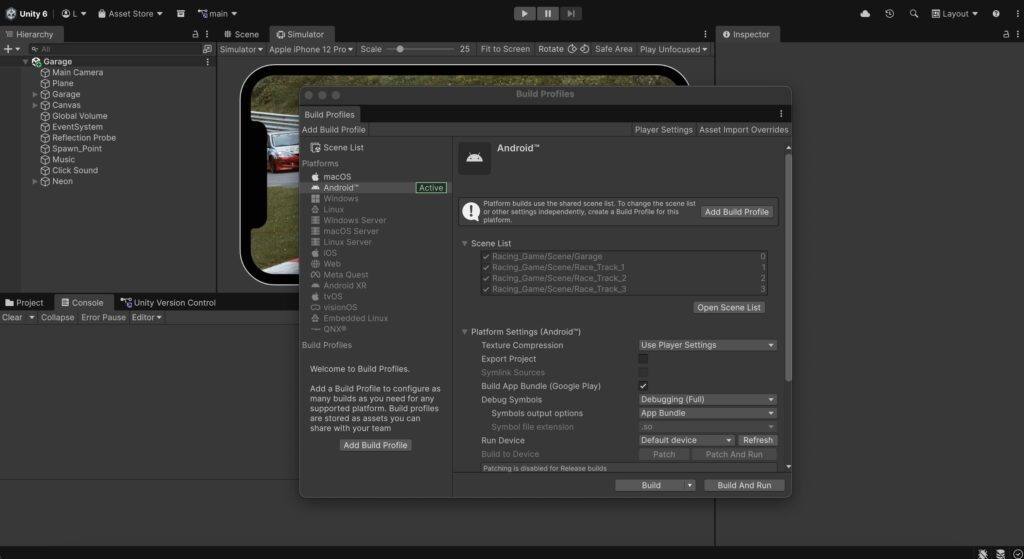
If your game stutters or crashes, players won’t care how beautiful it looks.
3. Project Structure Matters More Than You Think
For indie developers, especially solo developers, clean structure prevents chaos.
Unity projects can become messy quickly.
What actually matters:
- Organized folder hierarchy
- Clear naming conventions
- Modular scripts
- Separation of logic
Example folder structure:
Scripts
UI
Prefabs
Scenes
Art
Audio
Plugins
This makes updates easier and reduces bugs.
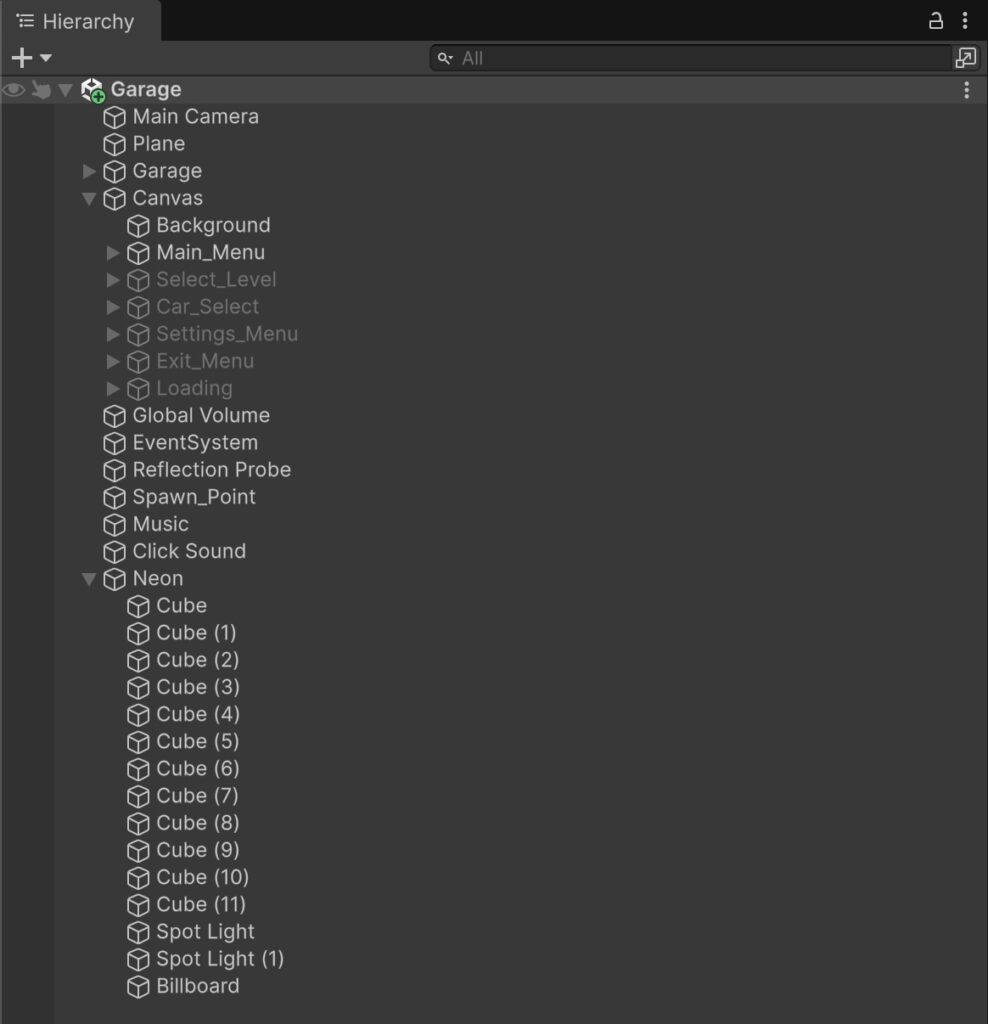
If you plan to release multiple games, scalable structure becomes critical.
4. Mobile UX Is Different From PC or Console
Unity supports many platforms.
But mobile is unique.
Mobile players:
- Play in short sessions
- Use touch input
- Expect quick feedback
- Quit fast if confused
Important considerations:
- Big buttons
- Simple menus
- Clear UI hierarchy
- Fast onboarding
Your first 30 seconds matter more than your final level.
WHAT ABOUT YOU?
“I haven’t personally had a major UI change story yet, but I’d love to hear from you! Have you ever released a game only to find out that players couldn’t find the ‘Start’ button? Share your UI horror stories or success stories in the comments below! Let’s learn from each other.”
5. Monetization Must Be Planned Early
Many indie developers build the game first and think about monetization later.
This is backwards.
Unity integrates easily with:
- AdMob
- Unity Ads
- In-app purchases
- Rewarded videos
You should decide early:
- Will this game rely on ads?
- Will it use rewarded mechanics?
- Is it premium or free?
Monetization affects:
- Game design
- Level structure
- Reward systems
- User retention
MY REAL PROMOTION STRATEGY: THE PUSH & PULL METHOD
“Many developers ask how to get the first 1,000 downloads. My successful formula was a two-step process:
- The Initial Push (Google Ads): I used Google Ads for Apps (UAC) to give the game an initial boost. The goal wasn’t immediate profit, but to signal the Google Play algorithms that people were interested in the game.
- The Organic Pull (ASO): Once the game gained traction and reviews, I transitioned to relying on App Store Optimization (ASO). By optimizing keywords and the store listing, the game started generating consistent organic downloads for free. The Lesson: Think of paid ads as the ‘spark’ that ignites your organic growth engine.”
6. Analytics Are Not Optional
Unity allows integration with:
- Firebase
- Unity Analytics
- Custom tracking
If you are serious about mobile games, you must track:
- Retention rate
- Session length
- Level completion
- Ad engagement
- Crash reports
Data removes guessing.
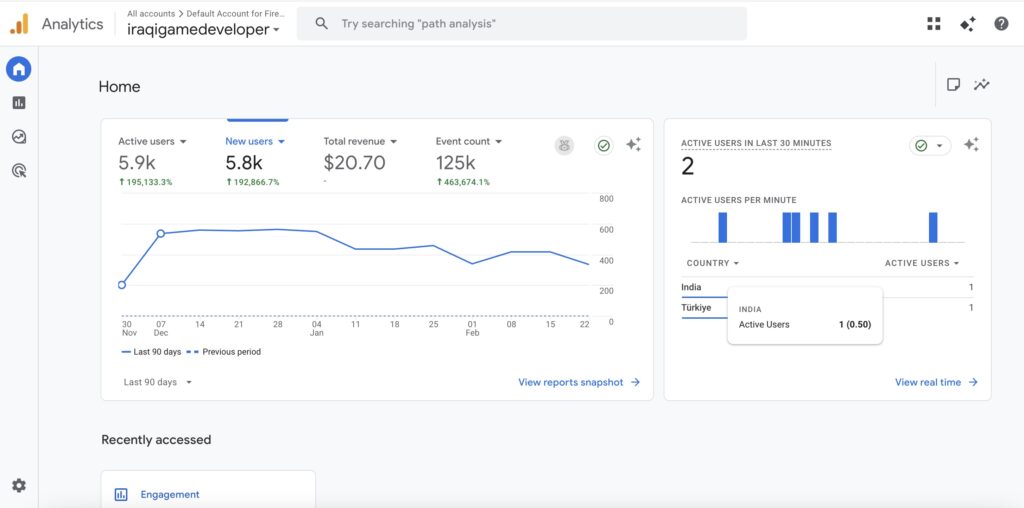
Many indie developers fail not because their game is bad — but because they never measured player behavior.
7. Build Size and Loading Speed
Mobile players abandon large downloads.
Unity builds can grow quickly if unmanaged.
What actually matters:
- Remove unused assets
- Compress textures properly
- Use asset bundles wisely
- Avoid unnecessary large plugins
Smaller build = more installs.
8. Testing on Real Devices Is Essential
Unity editor is not reality.
Test on:
- Low-end Android
- Mid-range devices
- Different screen sizes
Check:
- FPS
- Touch accuracy
- Memory spikes
- Battery usage

Never publish without real device testing.
9. Store Optimization Matters as Much as Development
Unity development is only half the battle.
The other half is:
- Store icon
- Screenshots
- Description
- Keywords
- First impression
Many technically solid games fail because their store page is weak.
“To prove that small changes lead to big results, here is a real-world comparison of one of my projects. By simply shifting from a generic name to a keyword-rich title and optimizing the visuals, the game’s performance transformed completely.”
| Element | Before (Draft Phase) | After (Optimized) | Result |
| Game Title | Fast Separator Game | Neon Divider: Physics Puzzle | Higher search rankings |
| App Icon | Simple geometric shape | Action-packed shot with vibrant colors | Increased Click-Through Rate (CTR) |
| Description | ‘A simple game to separate objects’ | ‘Challenge your brain in the ultimate physics-based splitting game…’ | Higher conversion (Installs) |
10. Consistency Wins
Indie development is not about one perfect game.
It’s about:
- Publishing
- Learning
- Improving
- Repeating
Every release improves your skills.
Unity is a tool.
Your system is what matters.
11. Avoid Feature Creep
Unity makes it easy to add:
- New mechanics
- Extra levels
- More animations
- Advanced systems
But feature creep kills indie projects.
Ask yourself:
Does this improve player experience?
Or just satisfy my curiosity?
Shipping matters more than perfection.
12. Unity Is Still Indie-Friendly
Despite industry changes, Unity remains strong for indie developers because:
- Large community
- Massive documentation
- Cross-platform support
- Asset Store
- Mature ecosystem
You can:
- Build quickly
- Prototype fast
- Publish globally
13. Asset Store: Use Carefully
Unity Asset Store can accelerate development.
But avoid:
- Overloading your project
- Using poorly optimized assets
- Adding unused plugins
Every plugin increases complexity.
[MY EXPERIENCE WITH ASSET TEMPLATES]
“To speed up my development process, I experimented with buying game templates from the Unity Asset Store, ranging from $30 to $60. These templates served as the foundation for my projects.
The Outcome: It saved me weeks of coding core mechanics from scratch.
My Advice: Use templates as a ‘skeleton,’ but always build your own unique layer on top. Customize the art and tweak the logic so your game doesn’t look like a generic clone. It’s a smart investment if you value your time.”
14. Focus on Retention Over Downloads
Many indie developers chase downloads.
But what matters more:
Retention.
If users don’t come back:
- Ads decrease
- Ranking drops
- Revenue collapses
Track:
Day 1 retention
Day 7 retention
Optimize:
Difficulty
Rewards
Onboarding
15. Mindset: Unity Is a Tool, Not a Strategy
Unity gives you power.
But power without direction leads nowhere.
As an indie developer, what truly matters is:
- Clear niche
- Realistic scope
- Consistent publishing
- Learning from data
- Improving every iteration
MY BIGGEST LESSON: CONSISTENCY & MINDSET
“After 12 releases and a journey that started in 2020, I realized that Consistency is a real phenomenon. Success often arrives during the toughest times, and it is your Positive Mindset that makes the difference.
The Takeaway: Tools and engines will change, but your ability to stay persistent after every rejection or ‘zero-download’ phase is what builds a career. Keep pushing, because consistency is the only key that unlocks the door to success.”
Final Thoughts
Unity is powerful, flexible, and mature.
But indie success doesn’t come from mastering every Unity feature.
It comes from mastering:
- Simplicity
- Performance
- Monetization
- Analytics
- Publishing discipline
If you focus on what actually matters, Unity becomes an incredible engine for building sustainable mobile games.
If you focus on what looks impressive instead of what performs well, you’ll struggle.
For indie developers, Unity is not about cinematic perfection.
It’s about:
Build smart.
Optimize early.
Publish consistently.
Improve continuously.