
When starting a Unity project, most developers focus on gameplay mechanics, visuals, and features. But what truly separates short-term prototypes from scalable production-ready games is architecture.
A messy Unity project might work for a small demo.
It will collapse under complexity when your game grows.
If you’re an indie developer planning to publish multiple games or scale a single project, structure matters more than you think.
In this guide, I’ll walk you through a practical, clean architecture approach for structuring a Unity project for scalability — especially for mobile games.
Why Project Structure Matters
Many indie developers ignore structure until it’s too late.
Common problems caused by poor structure:
- Hard-to-find scripts
- Circular dependencies
- Massive “GameManager” classes
- Code duplication
- Bugs when adding new features
- Painful updates
Scalability means:
- Easy feature addition
- Easy debugging
- Clean separation of concerns
- Reusable systems
MY EXPERIENCE WITH PROJECT MESS: LOSING CONTROL
“In one of my earlier projects, I made a massive mistake: I imported every asset, sprite, and script into Unity without any organization.
The Outcome: The project became a ‘black hole.’ It was slow, bloated, and I couldn’t find anything. When I wanted to update a simple feature or fix a bug, I spent hours just searching for the right file. I eventually reached a point where I couldn’t even build a clear, final version of the game.
The Lesson: A messy project is a dead project. Now, I spend the first hour of any new project setting up a strict folder hierarchy. Organization isn’t a luxury; it’s a necessity if you want to update and scale your game in the future.”
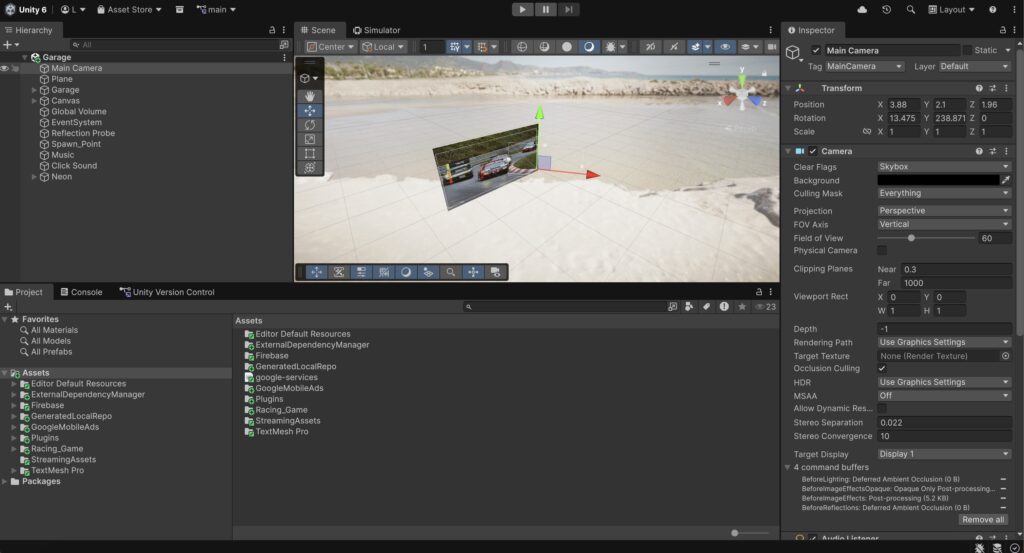
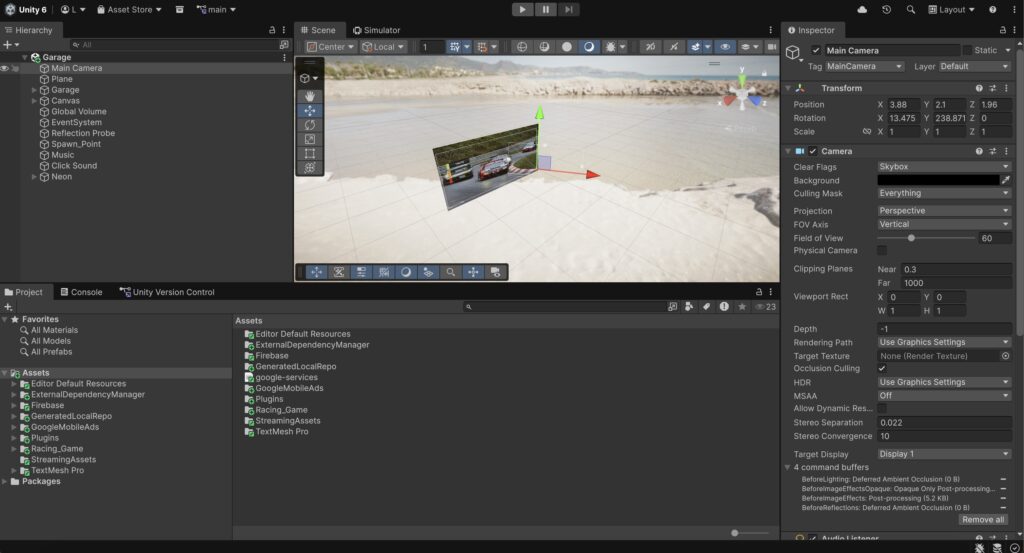
1. Start With a Clear Folder Structure
A clean folder structure prevents chaos.
Here’s a scalable example:
Assets/
    Art/
    Audio/
    Materials/
    Prefabs/
    Scenes/
    Scripts/
        Core/
        Gameplay/
        UI/
        Managers/
        Systems/
        Data/
    ScriptableObjects/
    Plugins/
What This Does
- Separates visual assets from logic
- Groups scripts by responsibility
- Makes navigation faster
- Reduces confusion
2. Separate Core Logic From Gameplay
One of the biggest mistakes in Unity projects is mixing everything together.
You should separate:
Core Systems
Gameplay Logic
UI
Managers
Example:
- Core → Utilities, Event system, Interfaces
- Gameplay → Player, Enemy, Level logic
- UI → Menus, HUD
- Systems → Ads, Save system, Analytics
This allows you to modify gameplay without breaking core systems.
3. Avoid the “God Object” Pattern
Many developers create one giant GameManager.
It controls:
- Score
- Audio
- Ads
- UI
- Scene loading
- Player state
This becomes unmanageable.
Instead:
Break managers into small responsibilities.
Example:
- GameStateManager
- AudioManager
- AdsManager
- SaveManager
- UIManager
Each manager does one thing well.
MY EXPERIENCE WITH BAD SYSTEM MANAGERS
“One of my biggest technical regrets was building a messy UI Manager and Ads Manager. I tried to take shortcuts by linking them directly, but the result was a nightmare: UI elements would overlap, and ads would trigger at the wrong time, sometimes crashing the entire interface.
The Outcome: I had to rebuild the entire ad integration three times because the code was too fragile to update.
The Lesson: Don’t rush your UI and Ads logic. Build a Modular System where each manager functions independently. A clean structure at the beginning saves you from ‘update-day’ headaches later on.”
4. Use ScriptableObjects for Data
ScriptableObjects are extremely powerful for scalability.
Instead of hardcoding values inside scripts:
Use ScriptableObjects to store:
- Level configurations
- Weapon stats
- Enemy settings
- UI themes
Benefits:
- Editable without code changes
- Cleaner separation
- Easy balancing
- Reusable data
This is one of the most scalable patterns in Unity.
5. Use Interfaces to Reduce Coupling
Tightly coupled code breaks scalability.
Instead of:
enemy.TakeDamage();
Use:
IDamageable.TakeDamage();
Benefits:
- Flexible systems
- Easier testing
- Replaceable components
- Cleaner architecture
Interfaces help your systems talk to each other without depending directly on implementation.
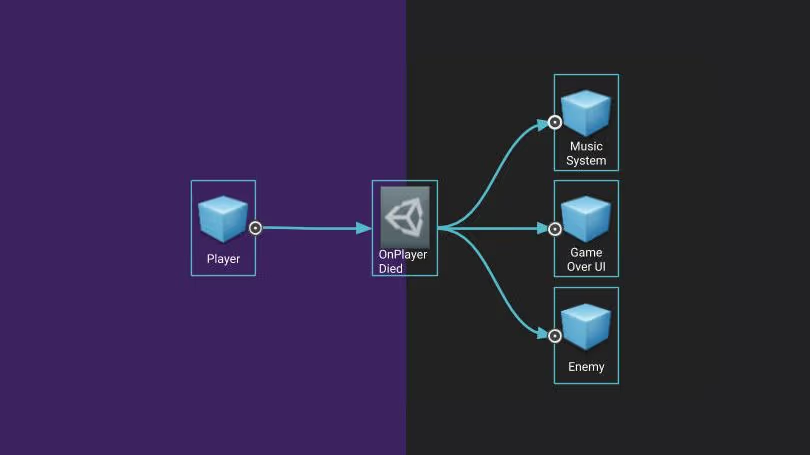
6. Event-Driven Architecture
Instead of direct references everywhere, use events.
Example:
When player dies:
Instead of:
- Calling UI
- Calling GameManager
- Calling Audio
Use:
Event: OnPlayerDied
Subscribers:
- UI updates
- Audio plays
- Game state changes
This reduces dependencies and improves scalability.
7. Scene Organization Strategy
For scalable mobile games:
Keep scenes minimal.
Recommended approach:
- Bootstrap Scene (initialization)
- Main Menu Scene
- Gameplay Scene
- Persistent Managers Scene (optional)
Avoid duplicating managers across scenes.
Use:
DontDestroyOnLoad carefully.
Better approach:
Centralized bootstrap system.
8. Keep Gameplay Modular
Each gameplay mechanic should be:
- Independent
- Testable
- Replaceable
Example:
Instead of one PlayerController handling:
- Movement
- Shooting
- Health
- Power-ups
Split into:
- MovementController
- ShootingController
- HealthComponent
- PowerUpHandler
This makes features easier to add later.
9. Avoid Hardcoding References
Use:
- Serialized fields
- Dependency injection (basic)
- ScriptableObject references
Hardcoded references break flexibility.
Bad example:
FindObjectOfType<GameManager>();
This slows performance and breaks scalability.
10. Use Assembly Definitions for Larger Projects
If your project grows large:
Use Assembly Definition Files (.asmdef)
Benefits:
- Faster compilation
- Logical code separation
- Cleaner module boundaries
This is especially useful when projects scale beyond small prototypes.
11. Save System Structure
A scalable save system:
- Separate data models
- Use JSON or PlayerPrefs carefully
- Keep save logic isolated
Example:
Scripts/
Systems/
SaveSystem/
SaveManager.cs
PlayerData.cs
LevelData.cs
Never mix save logic inside gameplay scripts.
12. Prepare for Monetization From Day One
If your game includes ads or in-app purchases:
Structure monetization separately.
Example:
Scripts/
Systems/
Monetization/
AdsManager.cs
IAPManager.cs
Never mix ad logic inside gameplay scripts.
This prevents chaos later.
13. Naming Conventions Matter
Consistency improves scalability.
Examples:
- PlayerController
- EnemySpawner
- LevelManager
- UIHealthBar
Avoid:
- Script1
- TestScript
- NewBehaviour
Naming affects long-term maintainability.
14. Logging and Debug Systems
Add centralized logging system.
Instead of Debug.Log everywhere:
Create:
Logger.cs
Control logging globally.
This helps in production builds.
15. Plan for Updates
Scalable architecture supports:
- Adding levels
- Adding skins
- Adding mechanics
- Adding events
If adding a feature requires editing 10 scripts, your structure is weak.
If it requires editing 1 module, your structure is strong.
MY UPDATE EXPERIENCE: THE MEMORY CLEANUP
“During one of my game updates, I noticed a high crash rate on low-end devices. After investigating, I realized the memory (RAM) usage was skyrocketing because of heavy, unoptimized assets.
The Action: I went through a total cleanup. I removed heavy 3D models and high-res textures, replacing them with lightweight, optimized alternatives. I also deleted every unused script and asset that was bloating the build.
The Result: The game became much faster, and the crash rate dropped significantly. It finally ran smoothly on older devices. The Lesson: A pretty game is useless if it doesn’t open. Always prioritize memory over flashy graphics.”
Common Scalability Mistakes Indie Developers Make
- Mixing UI and gameplay logic
- Hardcoding values
- Overusing singletons
- Ignoring folder organization
- Adding features without refactoring
- Not planning for updates
Clean Architecture Principles in Unity
You don’t need enterprise-level architecture.
You need:
- Separation of concerns
- Modularity
- Reusability
- Low coupling
- Clear responsibility
Keep it simple, but structured.
Final Thoughts
Unity scalability is not about complexity.
It’s about discipline.
A clean project:
- Reduces stress
- Speeds development
- Makes debugging easier
- Supports long-term growth
Indie developers who treat architecture seriously build faster over time.
Your first project might be messy.
But your fifth project shouldn’t be.
Structure early.
Refactor often.
Keep systems modular.
Build for growth.