
Managing customer messages manually becomes overwhelming very quickly.
Whether you’re running:
- A small online store
- A Facebook page
- A digital product business
- A SaaS tool
- Or even a mobile game support inbox
At some point, replying manually wastes time, slows response rates, and limits growth.
That’s where automation becomes powerful.
In this guide, I’ll show you how to build a fully automated customer reply system using n8n — step by step — with a scalable architecture that you can expand later.
This system can:
- Read incoming messages
- Analyze intent
- Send smart replies
- Save customer data
- Trigger follow-up workflows
Let’s build it.
Why Use n8n for Customer Automation?
Before diving in, why n8n?
Because it is:
- Open-source
- Self-hostable
- Highly flexible
- Powerful with APIs
- Affordable compared to SaaS automation tools
Unlike simple auto-reply bots, n8n allows logic-based automation.
That means:
If message contains X → Do Y
If customer asks about product → Send specific reply
If message incomplete → Ask for missing data
It’s not just auto-reply.
It’s automated decision-making.
MY EXPERIENCE: WHY I CHOSE n8n OVER READY-MADE TOOLS
“Before switching to n8n, I experimented with several out-of-the-box auto-reply platforms. However, I quickly hit a wall: Limited Customization. Most ready-made tools offer rigid templates; the moment you want to connect a custom database or implement complex logic, you’re stuck. Why n8n? It gave me ‘Full Control.’ I was able to build a system that understands message context, queries my own data, and makes decisions based on specific rules I defined. Unlike closed platforms, n8n isn’t just a reply tool—it’s a flexible automation engine that I can shape exactly to fit my business needs.”
System Overview: What We’re Building
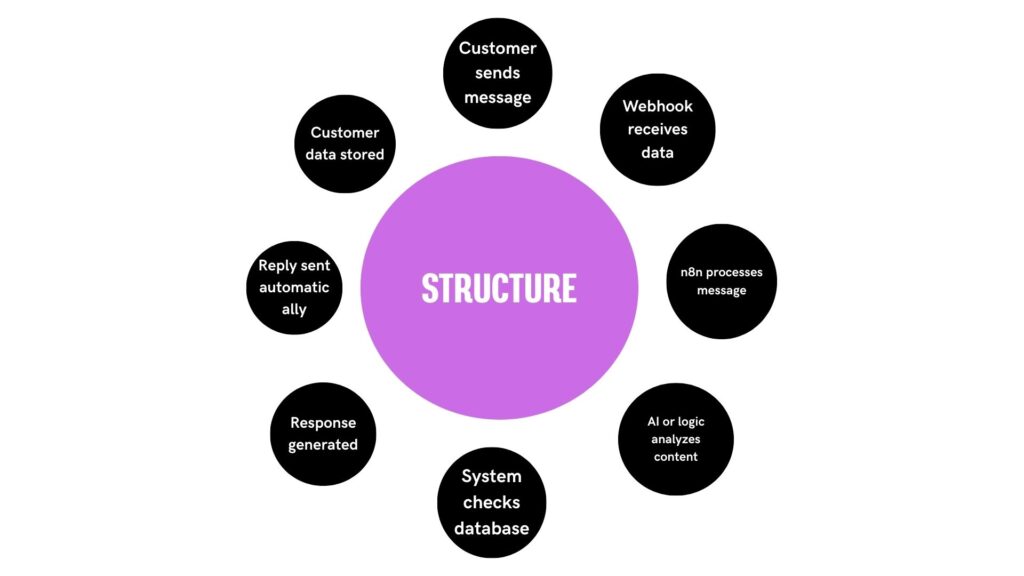
Here’s the structure:
Customer sends message
⬇
Webhook receives data
⬇
n8n processes message
⬇
AI or logic analyzes content
⬇
System checks database
⬇
Response generated
⬇
Reply sent automatically
⬇
Customer data stored
Step 1: Install and Set Up n8n
You have two main options:
- Self-hosted VPS
- n8n Cloud
For full control, I recommend VPS.
Basic VPS Setup:
- Ubuntu server
- Docker installed
- n8n container running
- SSL configured
Example Docker command:
docker run -it --rm \
-p 5678:5678 \
-v ~/.n8n:/home/node/.n8n \
n8nio/n8n
If running production, use:
- Reverse proxy (Traefik or Nginx)
- HTTPS
- Persistent storage
Step 2: Create a Webhook Trigger
In n8n:
Create New Workflow
Add Node → Webhook
Set:
- HTTP Method (POST)
- Path (e.g., /incoming-message)
This will receive customer messages from:
- Facebook Messenger API
- WhatsApp Business API
- Website form
- Telegram bot
- Custom backend
Copy the webhook URL.
Step 3: Connect Your Messaging Platform
Example: Website Contact Form
Your form sends POST request to webhook URL.
Payload example:
{
  "name": "John",
  "message": "Do you have this product in stock?",
  "phone": "123456"
}
n8n receives this instantly.
[ADD YOUR TEST PAYLOAD HERE]
Step 4: Clean and Structure Incoming Data
Add:
Set Node
Extract:
- Customer Name
- Message
- Phone
- Channel
Keep your workflow organized.
Step 5: Analyze Customer Intent
Now the smart part.
You can:
Option A: Use simple keyword logic
Option B: Use OpenAI API
Option A – Keyword Logic
Add IF Node:
If message contains “price”
→ Send pricing template
If message contains “available”
→ Send availability response
This is basic but effective.
Option B – AI Analysis (Advanced)
Add OpenAI Node.
Prompt example:
“Classify the following customer message into categories: pricing, order, complaint, general question.”
Output:
- pricing
- order
- complaint
- general
Based on classification → Route accordingly.
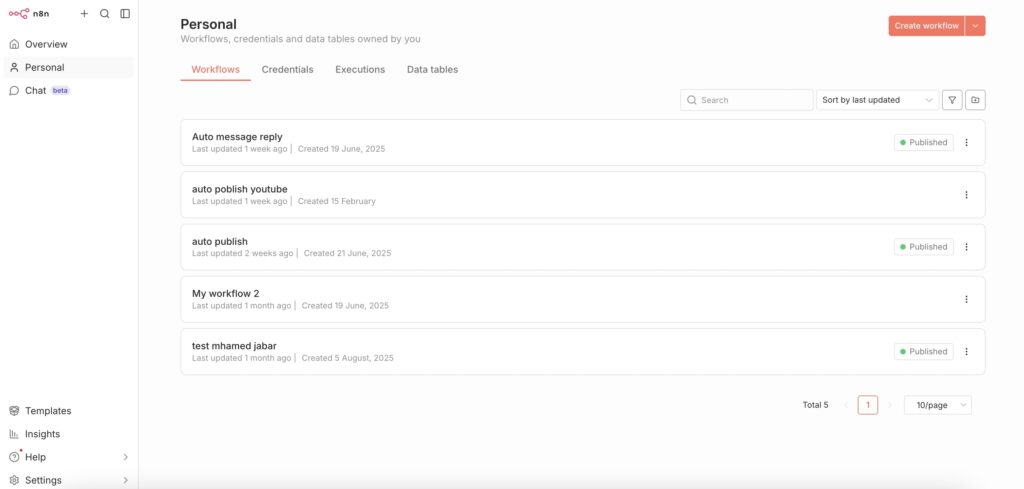
This makes your system flexible and scalable.
Step 6: Generate Dynamic Reply
Instead of fixed responses, you can:
- Pull product data from Google Sheets
- Pull FAQs from database
- Personalize reply
Example:
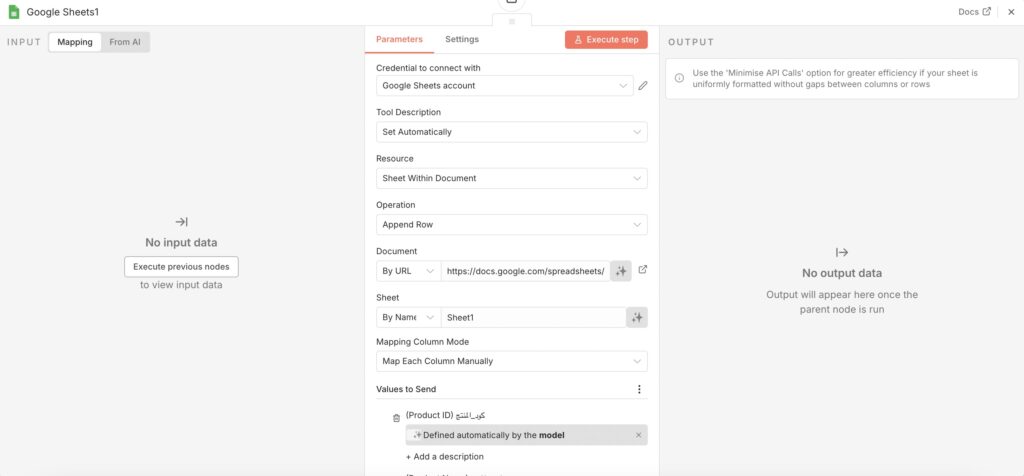
Add Google Sheets Node → Search product
Then generate response:
“Hi {{name}}, yes the product {{product_name}} is available for {{price}}.”
Dynamic responses increase professionalism.
Step 7: Send the Reply
Add HTTP Request Node or platform-specific node.
Send response back to:
- Messenger API
- WhatsApp API
- Email API
- Telegram Bot API
Ensure proper formatting.
Test thoroughly.
Step 8: Store Customer Data
Add:
Google Sheets Node
Or
Database Node
Save:
- Name
- Phone
- Message
- Date
- Intent
- Status
This allows:
- Follow-ups
- Analytics
- CRM building
Step 9: Handle Incomplete Orders
Example:
If customer sends:
“I want to order”
But no address or phone provided.
Use IF Node:
If phone empty
→ Send request for phone
If address missing
→ Ask for address
This creates conversational flow.
Step 10: Add Rate Limiting or Spam Protection
Prevent abuse by:
- Tracking duplicate messages
- Ignoring repeated identical inputs
- Adding delay nodes
Stability is critical.
Advanced Enhancements
1️⃣ Add Order Confirmation Workflow
After collecting:
- Name
- Phone
- Address
- Product
Trigger:
- Save order
- Send confirmation
- Notify admin
2️⃣ Add Follow-Up Automation
If customer didn’t respond after 24 hours:
Send reminder.
If order status changed:
Send update.
3️⃣ Integrate with CRM
Push leads to:
- Airtable
- Notion
- HubSpot
- Custom DB
Real Benefits of This System
✔ Faster response time
✔ 24/7 availability
✔ Less manual work
✔ Better organization
✔ Scalable operations
[ADD YOUR REAL RESULTS HERE:
Common Mistakes to Avoid
- Overcomplicating workflow
- No error handling
- No fallback response
- Hardcoding replies
- Not logging data
- Forgetting testing
Testing Your Automation
Use:
Webhook test mode
Simulate messages
Test all paths
Ensure:
- No broken branches
- No empty replies
- Proper data storage
Security Considerations
Always:
- Use HTTPS
- Protect webhook with secret token
- Avoid exposing internal endpoints
- Monitor logs
Automation should be secure.
My Recommended Workflow Structure
Webhook
⬇
Data Cleanup
⬇
Intent Classification
⬇
Database Lookup
⬇
Response Generation
⬇
Send Reply
⬇
Store Data
Keep workflows modular.
Avoid giant messy flows.
Final Thoughts
Building an automated customer reply system with n8n is not just about saving time.
It’s about building infrastructure.
As your business grows, automation becomes essential.
Manual replies limit scale.
Smart workflows unlock growth.
And the best part?
Once built, the system runs continuously — allowing you to focus on building, improving, and monetizing your products.
Automation is not a shortcut.
It’s a multiplier.
Build once.
Optimize continuously.
Scale confidently.