
Building your first mobile game feels exciting.
You finally move from tutorials to something real. You imagine downloads, positive reviews, and maybe even revenue.
But the reality is different.
Most first mobile games fail — not because the developer lacks talent, but because they lack experience.
In this article, I’ll share five major mistakes I made in my first mobile game and how you can avoid them. These lessons changed how I approach game development forever.
If you’re building your first Unity mobile game, read this carefully.
Mistake #1 : I Focused on Features Instead of Finishing
When I started my first mobile game, I had endless ideas.
More levels.
More mechanics.
More animations.
More visual effects.
Every time I finished something, I thought of something new to add.
The problem?
The game was never “ready.”
Why This Is Dangerous
Feature creep kills indie projects.
The more features you add:
- The more bugs you introduce
- The longer development takes
- The harder balancing becomes
- The less likely you are to ship
I kept improving small details instead of finishing core gameplay.
MY REAL STORY: THE PERFECTIONISM TRAP
“I wasted a massive amount of time trying to make the visual design perfect. I kept redesigning menus and backgrounds over and over, aiming for the highest possible quality.
The Outcome: I spent weeks on aesthetic details that players didn’t even notice, while I could have finished and shipped the game in half the time.
The Lesson: In your first game, ‘Done’ is better than ‘Perfect’. Don’t let the obsession with high-end design stop you from actually launching your project.”
Click here to change this text. Lorem ipsum dolor sit amet, consectetur adipiscing elit. Ut elit tellus, luctus nec ullamcorper mattis, pulvinar dapibus leo.
How to Avoid It
- Define a minimum playable version.
- Lock your feature list early.
- Set a shipping deadline.
- Publish version 1.0 even if it’s not perfect.
Your first game is not meant to be your masterpiece.
It’s meant to teach you how to finish.
Mistake #2: I Ignored Performance Optimization
In the Unity editor, everything ran smoothly.
On real devices?
Not so much.
Low-end phones struggled.
Frame rate dropped.
Loading times were slow.
Mobile players have very low tolerance for performance issues.
If your game lags for even a few seconds, users uninstall.
What I Did Wrong
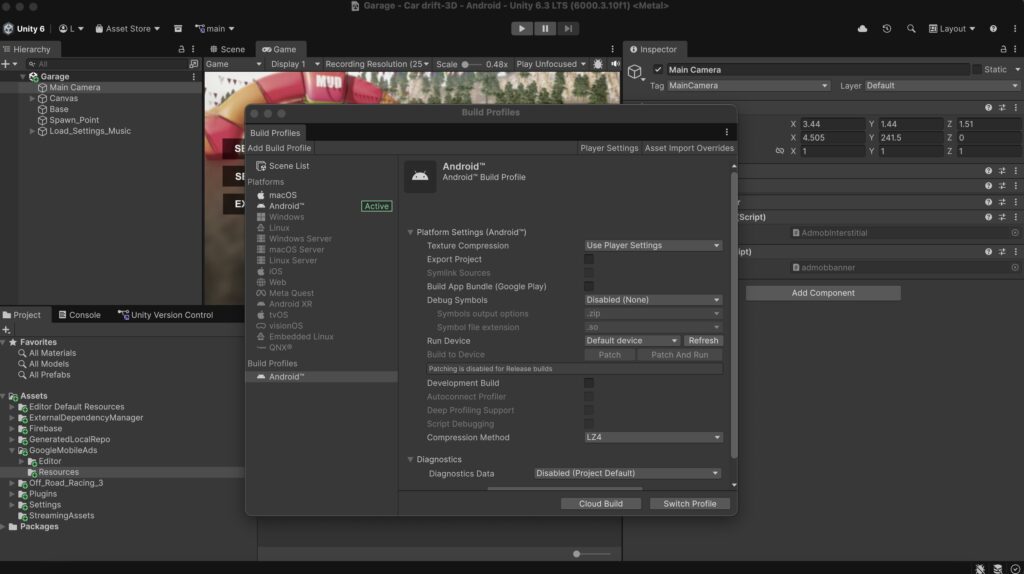
- Used high-resolution textures without compression
- Didn’t implement object pooling
- Used unnecessary Update() loops
- Ignored build size
How to Avoid It
✔ Test on low-end devices
✔ Use the Unity Profiler
✔ Implement object pooling
✔ Compress textures
✔ Remove unused assets
Performance matters more than graphics in mobile games.
Smooth gameplay beats visual complexity.
Mistake #3: I Didn’t Plan Monetization Early
This was one of the biggest mistakes.
I built the game first.
Then I thought about ads.
Then I awkwardly inserted ads between levels.
It felt forced.
It hurt retention.
And revenue was disappointing.
REAL NUMBERS: 5,000 DOWNLOADS VS. $3 REVENUE
“In my first game, I was thrilled to hit 5,000 downloads. I thought I was going to be rich! But the reality check came when I opened AdMob and saw my total revenue: less than $3. What went wrong? I had no monetization strategy. I placed ads randomly, and they were either ignored by players or appeared at frustrating moments, causing users to quit. I learned the hard way that Ad Placement and rewarded mechanics matter far more than raw download numbers.”
Why This Happens
Many indie developers treat monetization as an afterthought.
But monetization affects:
- Level design
- Reward systems
- Player progression
- Session length
If you add ads without design planning, the experience feels broken.
How to Avoid It
Decide early:
- Will this game use rewarded ads?
- Interstitial ads?
- In-app purchases?
Design your reward system around monetization.
For example:
- Rewarded ads for extra lives
- Rewarded ads for bonuses
- Interstitial ads between natural breaks
Monetization must feel integrated — not intrusive.
Mistake #4: I Underestimated Store Optimization
I believed that if the game was good, downloads would come.
They didn’t.
Google Play is crowded.
Your store page is your real first impression.
My first game had:
- A weak icon
- Average screenshots
- Poor description
- No keyword strategy
What I Learned
The icon alone can double your click-through rate.
The first two screenshots matter more than the last five.
Descriptions must:
- Be clear
- Highlight value
- Focus on player benefits
How to Avoid It
✔ Spend serious time on your icon
✔ Test different screenshot styles
✔ Study top games in your niche
✔ Use relevant keywords naturally
Development is half the battle.
Presentation is the other half.
Mistake #5: I Didn’t Track Player Data
This was the most painful lesson.
I had no analytics.
I didn’t know:
- Why players quit
- Where they got stuck
- How long sessions lasted
- Which levels were too hard
I was guessing.
Guessing is not strategy.
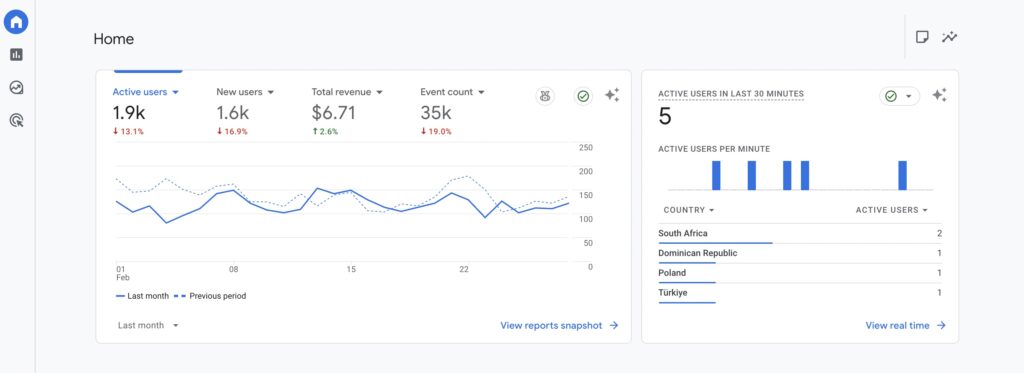
Why Analytics Matter
If your Day 1 retention is low, something is wrong.
If players quit at level 3, level 3 is too hard.
If rewarded ads are ignored, the reward is not attractive.
Data removes emotion.
How to Avoid It
Integrate analytics from day one:
- Firebase
- Unity Analytics
- Custom tracking
Track:
- Session length
- Retention
- Ad engagement
- Crash reports
Measure. Adjust. Improve.
Bonus Mistake: I Expected Immediate Success
This mistake isn’t technical — it’s psychological.
I expected:
- Fast downloads
- Fast revenue
- Fast growth
Reality:
- Slow growth
- Few downloads
- Small revenue
But each release improved my skills.

What Actually Matters in Your First Game
Your first mobile game should focus on:
- Shipping
- Learning
- Measuring
- Improving
Not perfection.
Not fame.
Not overnight success.
The Turning Point
After my first game, I changed my system.
Instead of:
Build → Hope
I switched to:
Build → Measure → Improve → Repeat
That mindset shift changed everything.
THE TURNING POINT: THE POWER OF SIMPLICITY & ASO
“Hitting $3 on 5,000 downloads was a painful wake-up call, but it was necessary. For my next project, I decided to shift my entire approach:
- Simplify Everything: I stopped trying to build massive, complex games and focused on one single, polished, and fun mechanic.
- Optimize the Store (ASO): Instead of a generic name like ‘Fast Separator’, I launched ‘Neon Divider’ with a vibrant icon and a keyword-rich description. The Amazing Outcome: A simple, well-marketed game performed exceptionally well. I realized that a successful indie career is built on a Mindset that balances simple game design with professional marketing. It changed how I viewed every project from that day forward.”
Practical Checklist for Your First Mobile Game
Before publishing, ask yourself:
✔ Is the core gameplay fun?
✔ Is performance stable on low-end devices?
✔ Is monetization planned properly?
✔ Is store listing optimized?
✔ Are analytics integrated?
If you can answer yes to all five, you’re ahead of most beginners.
Why First Games Usually Fail (And Why That’s Okay)
Most first games fail financially.
But they succeed educationally.
They teach:
- Publishing process
- Store optimization
- Player psychology
- Data interpretation
- Monetization structure
That knowledge compounds.
Final Thoughts
Your first mobile game will not be perfect.
Mine wasn’t.
But it taught me:
- Finish before polishing
- Optimize early
- Plan monetization
- Track everything
- Ship consistently
If you treat your first game as a learning project instead of a money machine, you’ll build the foundation for long-term success.
The real win is not revenue.
It’s experience.
Build.
Publish.
Learn.
Repeat.